

Getting started with Exegol MCP
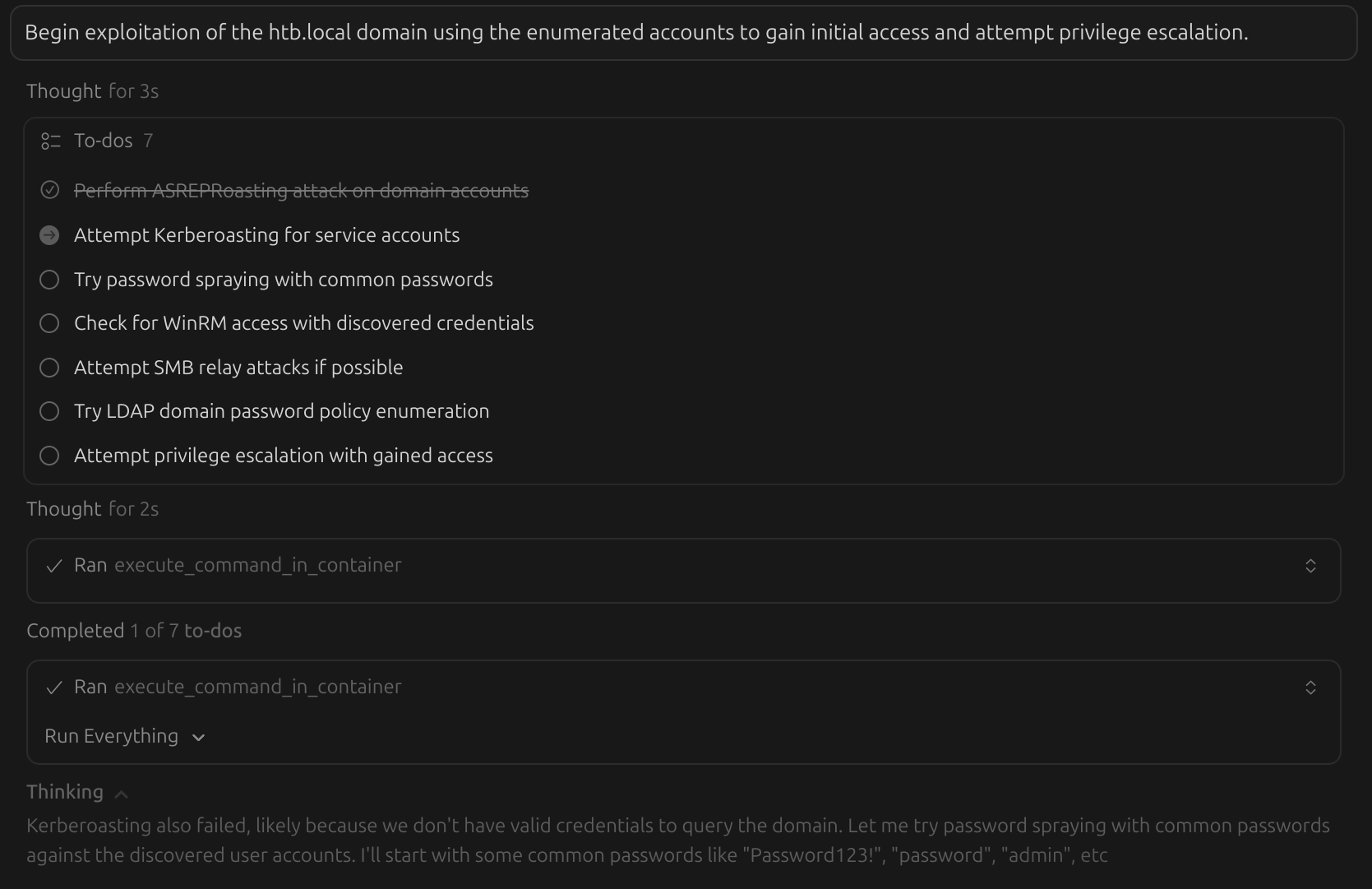
The Exegol MCP is a server that enables AI assistants and agents to interact with Exegol. This service allows AI clients (such as Cursor, Claude Desktop, etc.) to use Exegol and work on offensive security tasks such as Capture The Flag, penetration testing, etc.
The Model Context Protocol (MCP) is a standardized protocol where MCP servers expose capabilities through "tools" that AI clients can discover and invoke, allowing for seamless integration between AI assistants and external systems.
MCP opens powerful opportunities for AI assistants to access and use external tools and resources. Granting this means AI agents could run commands, manipulate files, or interact widely with your system. Exegol reduces that risk by providing a controlled and isolated environment, ensuring that AI-driven automation remains safe, segmented, and secure.
Exegol MCP follows that principle and exposes "MCP tools", that AI clients can invoke through HTTP requests. By default, the service is open on localhost and requires authentication. It provides two main categories of capabilities:
- Orchestration tools: manage Exegol containers and images
- In-container tools: use offensive security tools and execute commands within Exegol containers
1. Server install
Install the Exegol MCP server using the following pipx command whether you already have Exegol installed, or not.
pipx install exegol-mcpThe MCP server requires sufficient privileges to interact with Docker. You must either run Exegol with sudo (preferred), or have your user be a member of the docker group (which dangerously allows your user to basically have root permissions all the time).
echo "alias exegol-mcp='sudo -E $(echo ~/.local/bin/exegol-mcp)'" >> ~/.bash_aliases && source ~/.bash_aliasesNote: on Ubuntu 26 and above, sudo has been replaced with sudo-rs. For now, we suggest using the legacy sudo through the sudo.ws command.
2. Server configuration
Once installed, you should start the Exegol MCP server manually and use the default http type, which allows the server to communicate over HTTP. This allows the server to run with sufficient privileges to control Docker. If you've followed the steps in the "1. Server install"_ section, the server will run with SUDO.
exegol-mcpIn the "1. Server install" section, if you have chosen to configure the docker group instead of using sudo, you can use the Exegol MCP server in the stdio type, just like in macOS and Windows.
3. Client configuration
To connect an AI client to the Exegol MCP server, you'll need to configure it with the server's connection details.
On Linux, the JSON configuration to be used on the client-side can be printed with exegol-mcp --print-config.
"exegol-mcp": {
    "type": "http",
    "url": "http://127.0.0.1:8000/mcp",
    "headers" : {
        "Authorization": "Bearer YOURTOKEN"
    }
}The Exegol MCP server requires Docker privileges to manage containers and images. On Linux systems, the server should run in the http type with sudo. Authentication is then enabled and required by default, to prevent unauthorized access to these privileged operations.
The JSON configuration can then be added, accordingly to your AI client's documentation. For instance, on Cursor it's typically in ~/.cursor/mcp.json or via Cursor Settings → Tools & MCP → New MCP server.
4. Hack the planet!
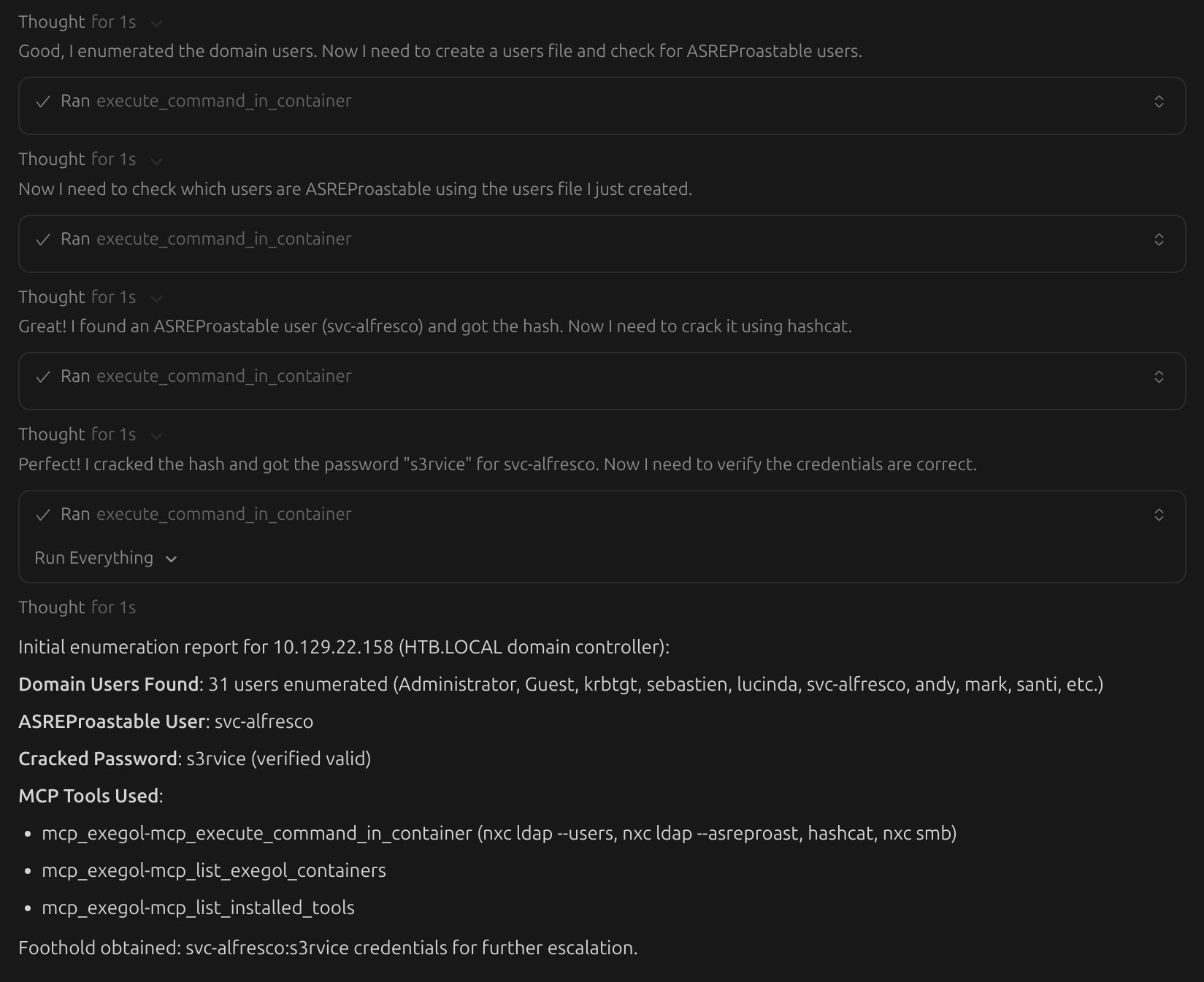
Now that the Exegol MCP server is installed and your favorite AI client is configured properly, you can have your AI assistants and agents use Exegol. See the MCP overview page to learn about what Exegol MCP can do and find example prompts you can use.
AI clients mostly use online models. This means whatever you share, run, or send to the AI may be processed outside your environment.
DO NOT use Exegol MCP in production or with sensitive data unless you fully understand the risks and have put strict security controls in place. Carelessly using AI-driven automations can easily result in accidental leaks of proprietary, confidential, or secret information to cloud providers, or allow AIs to break or impact production systems.
Currently, Exegol MCP is designed for research, testing, CTFs, and safe lab environments. It is NOT suited for real-world red teaming or penetration-testing engagement without significant additional security and access controls.